












Voice cloning
built for people
Clone any voice from 3 seconds of audio, and use it in about 500 languages and dialects.
Try it now
Open the playground ↗Ask your agent to add Inworld.
Instant and professional voice cloning
Cloning docs ↗Clone a voice from 3 seconds of audio. Or train on 10 minutes for the closest match, and use it anywhere a library voice works.
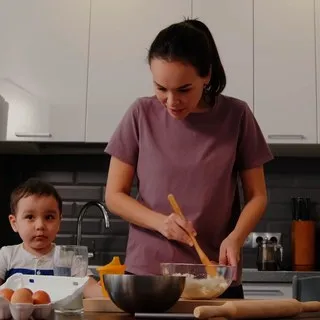
“Okay, you will not believe what just happened at practice.”
“I never said this sentence. It was written after the clip was recorded, and spoken by the clone.”
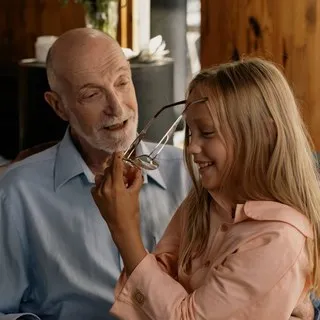
POST /voices/v1/voices:clone"voiceId": "<workspace>__my_voice"“Right, the trick with sourdough is patience. You feed the starter, you wait, and then you wait a little more.”
“I never said this sentence. It was written after the clip was recorded, and spoken by the clone.”
POST /voices/v1/voices:clone"voiceId": "<workspace>__winston_clone"“Well, I've been fixing up this old truck all summer, and I'll tell you what, she finally started this morning.”
“I never said this sentence. It was written after the clip was recorded, and spoken by the clone.”
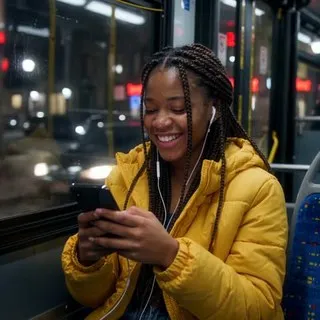
POST /voices/v1/voices:clone"voiceId": "<workspace>__hank_clone"“Hi, it's me. I just landed. The flight was long, but I'm so happy to be home. Call me when you're free.”
“I never said this sentence. It was written after the clip was recorded, and spoken by the clone.”
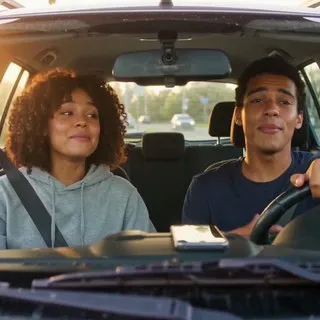
POST /voices/v1/voices:clone"voiceId": "<workspace>__my_clone"Good morning. Your coffee is ready, and the sun is out.
Buenos días. Tu café está listo y hace sol.
Bonjour. Ton café est prêt, et il fait beau.
Guten Morgen. Dein Kaffee ist fertig, und die Sonne scheint.
सुप्रभात। आपकी कॉफ़ी तैयार है, और धूप निकली है।
おはよう。コーヒーができたよ。今日はいい天気だね。
Bom dia. Seu café está pronto, e o sol saiu.
language field set. Speech in another language is best effort, and a clone sounds most like its speaker in the clip's own language, so localize the voice for native delivery.| Instant | Professional · beta | |
|---|---|---|
| Audio | 3 to 30 seconds, one clip10 to 30 seconds works best | 10 minutes or moreup to 50 files, 1 GB in all |
| Ready | In seconds | After a training runseveral minutes for longer sets |
| Models | Realtime TTS-2 and Realtime TTS-2 Flash | Realtime TTS-2 |
| Languages | 500+ on Realtime TTS-2, cross-lingualclosest match in the clip's own language | English fully supportedother languages experimental |
| Availability | All users, in the Portal and the API | Portal and APIon Growth and above |
| Best for | Most apps, including cloning a user's own voice | Brand voices and uncommon voices such as children's |
| Supported formats | WAV, MP3, WebMWebM in the Portal; Portal files up to 12 MB | WAV recommended48 kHz, 24-bit, mono |
| Consent | You confirm you have the rights before cloning | You confirm you have the rights before training starts |
- The Portal asks you to confirm that you have the rights to clone the voice before it makes an instant clone, and again before a professional clone starts training.
- Each clone belongs to your workspace, and its voice ID carries the workspace name (
workspace__voice). - Only an API key with write access can create a clone, so a read-only key is refused.
- You can delete a clone from the Portal voice library or with one API call, and deleting a professional clone frees its slot.
- With Zero Data Retention on, an Enterprise option, the text and audio of every request in a cloned voice are redacted from our logs once processing finishes. The clip you clone from is kept, because the voice is built from it.




A few seconds of a voice, on a phone
In the Portal, open TTS Playground and choose Create Voice, then Clone. From code, send the clip to POST /voices/v1/voices:clone, or run inworld tts clone in a terminal.
Voices cloned since 15 Aug 2026 take up to 30 seconds of audio, and a longer clip sounds closer to the speaker.
In the Portal, localization adapts an English clone so it sounds like a native speaker of another language. The voice ID stays the same.
One switch runs an audio isolation model on the clip before cloning. Use it on noisy recordings, because it can lower the quality of a clean one.
A realtime agent can speak in a cloned voice, which you set with one session.update event.
Streaming, timestamps and lip-sync visemes work on a cloned voice as they do on a stock voice. The text to speech page covers each one.
Start building
import base64, os, sys, requests

API = "https://api.inworld.ai"
H = {"Authorization": f"Basic {os.environ['INWORLD_API_KEY']}"}
clip, name = sys.argv[1], sys.argv[2]  # a WAV or MP3 clip, 3 to 30 seconds

# 1. Clone the voice from one clip
r = requests.post(f"{API}/voices/v1/voices:clone", headers=H, json={
    "displayName": name,
    "voiceSamples": [{"audioData": base64.b64encode(open(clip, "rb").read()).decode()}],
})
r.raise_for_status()
voice_id = r.json()["voice"]["voiceId"]
print("voiceId:", voice_id)

# 2. Speak a new line in the cloned voice, in Spanish
r = requests.post(f"{API}/tts/v1/voice", headers=H, json={
    "text": "Hola. Esta frase es nueva: nadie la dijo nunca en el clip original.",
    "voiceId": voice_id,
    "modelId": "inworld-tts-2",
    "language": "es-ES",
    "audioConfig": {"audioEncoding": "MP3"},
})
r.raise_for_status()
open("clone-es.mp3", "wb").write(base64.b64decode(r.json()["audioContent"]))This script cloned Winston's 7.0-second clip, then used the voice ID it got back to speak a new line in Spanish, and wrote clone-es.mp3.
Voice cloning built for people runs on Inworld. Who are you building for?
Questions
What is AI voice cloning?
AI voice cloning creates a digital replica of a specific voice from audio samples, and Inworld AI's voice cloning API does it from as little as 3 seconds of audio. The cloned voice can then generate new speech that sounds like the original speaker. Instant voice cloning takes up to 30 seconds of audio, and professional voice cloning trains on 10 minutes or more for the closest match to the speaker.
How do I clone a voice with Inworld?
To clone a voice with Inworld AI, open the TTS Playground in the Inworld Portal, click Create Voice, then Clone. Upload or record 3 to 30 seconds of audio and confirm you have the rights to clone the voice. Your cloned voice is ready to use in the Playground or through the API in seconds. For automation, send the clip to POST /voices/v1/voices:clone from JavaScript, Python or curl.
How much audio do I need to clone a voice?
Inworld AI's instant voice cloning works from 3 seconds of audio and takes up to 30 seconds, and 10 to 30 seconds gives the closest match. Professional cloning needs at least 10 minutes of audio in all. For instant cloning, record in a quiet environment and speak with varied emotion to capture the full range of the voice.
Can I use cloned voices commercially?
Yes, voices cloned with Inworld AI can be used in commercial products, because every plan includes a commercial license and our service terms leave you the rights to your output. The terms let you clone your own voice or a voice you are authorized to share, and you confirm you have the rights to the voice when you create it. Using a clone to impersonate someone without their consent or legal right breaks our Acceptable Use Policy.
Which languages support voice cloning?
Voices cloned with Inworld AI speak about 500 languages and dialects on Realtime TTS-2, with cross-lingual synthesis that keeps the same voice identity across languages. Voices perform best when the synthesized text matches the language of the original sample, so set the language field on each request. Professional clones fully support English, and other languages are experimental.
What is the difference between instant and professional voice cloning?
Inworld AI's instant voice cloning creates a usable voice from 3 to 30 seconds of audio with no training, while professional voice cloning trains on 10 minutes or more for the closest match to the speaker. Instant cloning is available to all users. Professional cloning is in beta on Realtime TTS-2 and is recommended for uncommon voice types, such as children's voices or unique accents, where an instant clone matches the speaker less closely.
Is there a voice cloning API?
Yes, Inworld AI's voice cloning API is POST /voices/v1/voices:clone, which takes a base64 WAV or MP3 clip and returns a voice ID. Your app can let users clone their own voice during onboarding or create voices in batches. The voice ID works anywhere a voice does, in text to speech requests and in speech to speech, where one session.update event sets the voice for a realtime agent.
How much does voice cloning cost?
Voice cloning itself is free with Inworld AI, and the free plan holds 100 custom voices, so you pay only for speech synthesis. Realtime TTS-2 costs $25 and Realtime TTS-2 Flash $15 per million characters on demand, falling to $12.50 and $7 on the Growth plan and down to $10 and $5 on Enterprise. Realtime TTS-2 Flash on Growth is up to 8× lower than Google's $60 per million characters for instant custom voices.